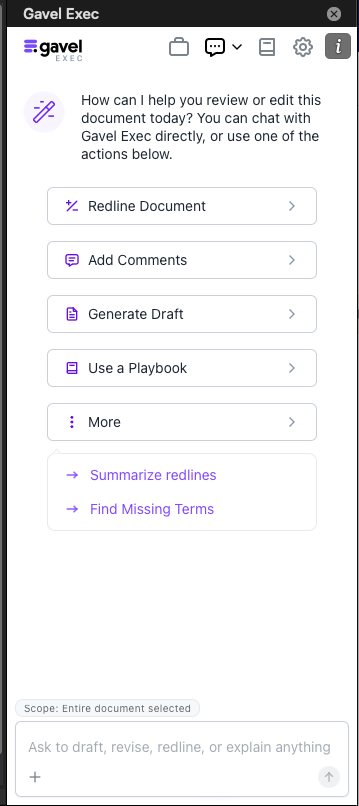
Quick Action Guide
Now it is even easier for you to get started with Gavel Exec! With Quick Actions, you are guided through the process of creating a prompt specifically designed to output your goals.
Redline Document Quick Action
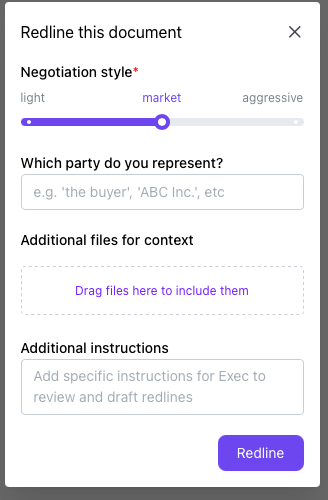
This Quick Action breaks down the information needed to provide precise Redlines throughout the contract or document.
- Negotiation Style: Choose how aggressive you would like the stance of the Redlining Agent to take.
- Representation: Choose the party stance you would like the Redlining Agent to review it from.
- Additional Files: Add files such as previous contracts, other context documents to give the Redlining Agent more information on your contract styles and needs.
- Additional Instructions: Add specific instructions to have the Redlining Agent focus on or to cater towards.
Add Comments Quick Action
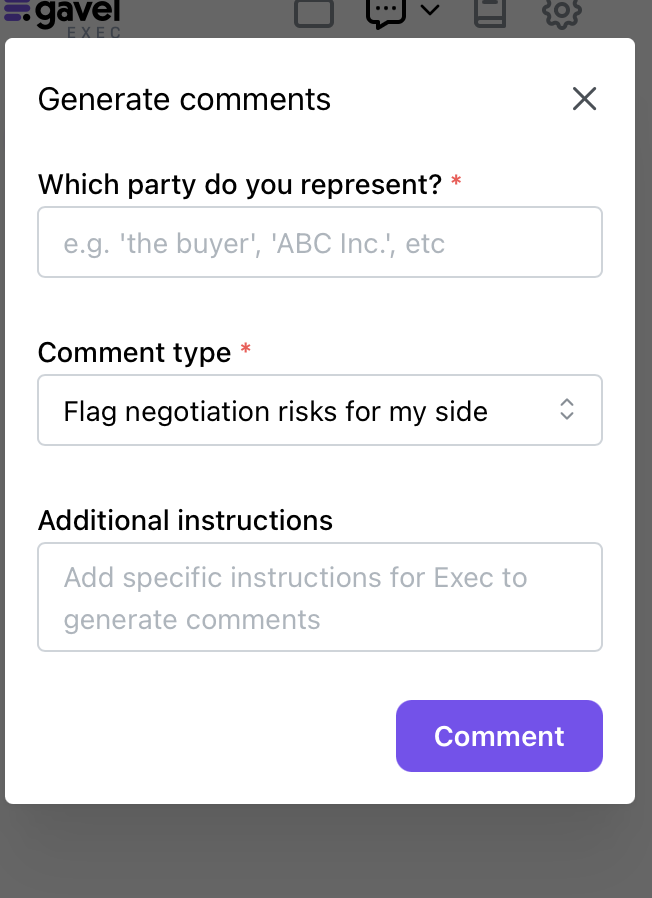
This Quick Action reviews and creates comments for you to review and add or dismiss throughout the contract or document.
- Representation: Choose the party stance you would like the Commenting Agent to review from.
- Comment Type: Select from the options to indicate the type of comments you would expect from the Commenting Agent.
- Flag negotiation risks for my side.
- Suggest redlines as comments
- Explain key points/risks to my client
- Additional Instructions: Add specific instructions to have the Commenting Agent focus on or to cater towards.
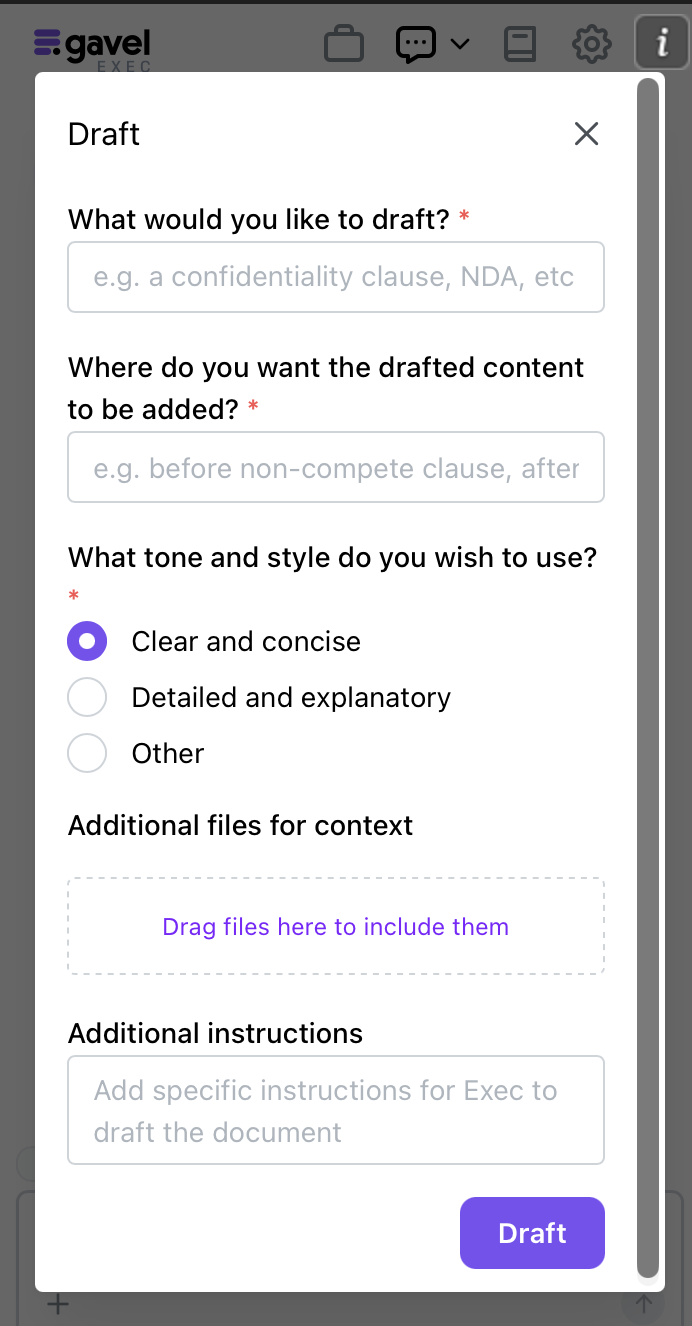
Generate Draft Quick Action
This Quick Action creates drafts of specific clauses, paragraphs, language, even whole documents based off the direction provided.
- Drafting Selection: Describe what you are looking to draft for the Drafting Agent to refer to.
- Draft Placement: Choose where in the current document you would like to have the Drafting Agent add your draft.
- Draft Tone and Style: Select the quality of tone and style you would like the Drafting Agent to draft in.
- Clear and concise
- Detailed and explanatory
- Other
- Additional Files: Add files such as previous contracts, other context documents to give the Drafting Agent more information on your contract styles and needs.
- Additional Instructions: Add specific instructions to have the Drafting Agent focus on or to cater towards.
Use A Playbook Quick Action
This Quick Action takes you to your Playbooks Tab for quick access to your Playbooks for redlining throughout the contract or document.
Summarize Redlines Quick Action
This Quick Action reviews the redlines that were provided in the contract to generate an overall comprehensive outline of what the accepted redlines change in the contract.
Find Missing Terms Quick Action
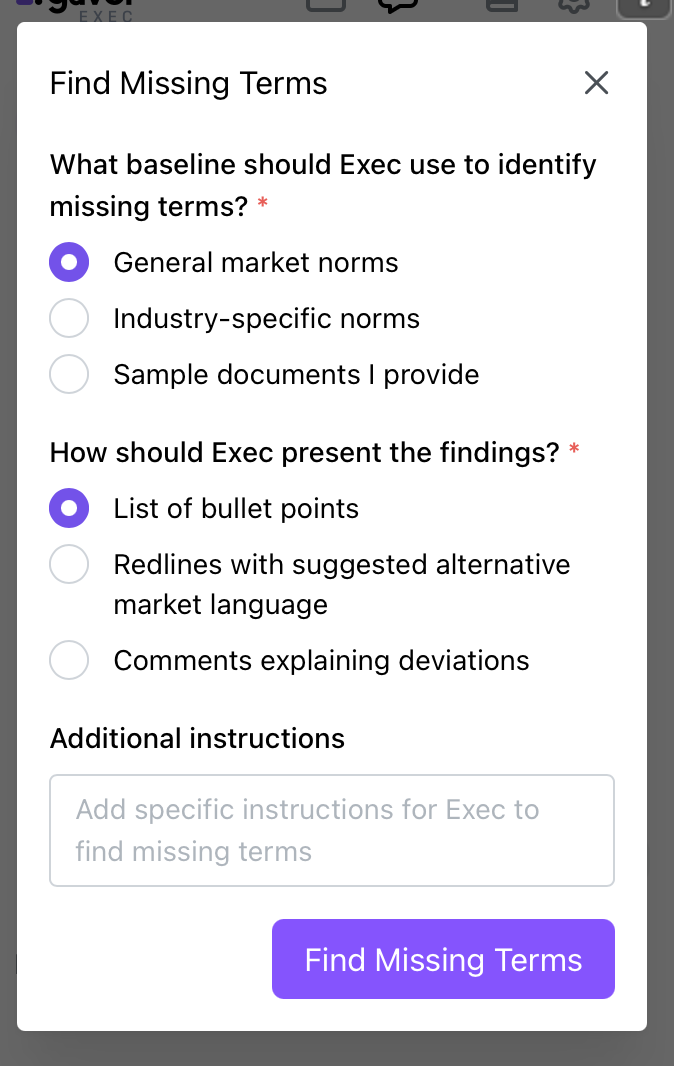
This Quick Action reviews and searches for missing terms that you set it to review throughout the contract or document.
- Identification Baseline: Choose the baseline stance you would like the Missing Terms Agent to search and point out.
- General marked norms
- Industry-specific norms
- Input your industry area
- Sample documents I provide
- Add files such as previous contracts, other context documents, to give the Missing Terms Agent more information on your contract norms and requirements.
- Output Type: Select from the options to indicate how the Missing Terms Agent presents their findings.
- List of bullet points
- Redlines with suggested alternative language
- Comments explaining deviations
- Additional Instructions: Add specific instructions to have the Commenting Agent focus on or to cater towards.